Re: SDR Oxide - Browan version
XYZ -
Oct 09 (Fri), 2026 02:15 UTC No.6
A few requests regarding this SDR software (SDR Oxide - Browan version):

***In addition to fixing various bugs:

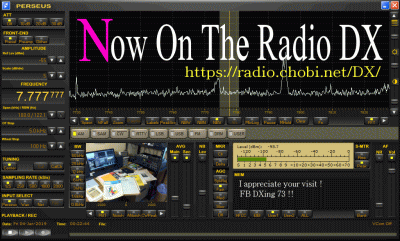
-- The ability to load, save, and individually display multiple frequency lists (e.g., HFCC and AOKI lists, in addition to the EiBi list). The display should be easy to read, similar to the frequency list view in PERSEUS-SDR.
Furthermore, the displayed frequency list must automatically synchronize with the currently tuned frequency.
Naturally, "Dock" and "Unlock" functions for these lists would also be desirable.

-- A feature allowing direct frequency entry via a numeric keypad, similar to SDR Console V3. This is an essential function for active SWLs.
Re: SDR Oxide - Browan :Updated to version 2.0.3.(old : 2.0.0)
XYZ -
Oct 09 (Fri), 2026 21:49 UTC No.7
This SDR software is truly excellent. It will likely evolve into something even better !

https://github.com/madmedicnl/sdroxide-brown/releases/tag/v2.0.3_brown


User Manual :
https://github.com/madmedicnl/sdroxide-brown/blob/main/docs/USER_MANUAL.md

Comment :
https://github.com/dividebysandwich/sdroxide/compare/main...madmedicnl:sdroxide-brown:main


Shortwave listening —
the SCHEDULE window over the EiBi broadcast list, a reception log with
SINPO/SIO and a QSL loop, ECSS-U / ECSS-L and a receive tone control, two-minute REPLAY, scheduled recordings, band scanning, the SIG ID guide, and a LISTEN screen that hides every
transmit control.

Decoding —
the fork's own ACARS, HFDL, FSK441 and (tr)uSDX support, plus everything upstream
already carries.
A Morse trainer, station profiles, audible alerts, and the fork's SDR Oxide Brown
identity throughout.
Re: SDR Oxide - Browan version
XYZ -
Oct 09 (Fri), 2026 22:55 UTC No.8
SDR Oxide - Browan version 2.0.3
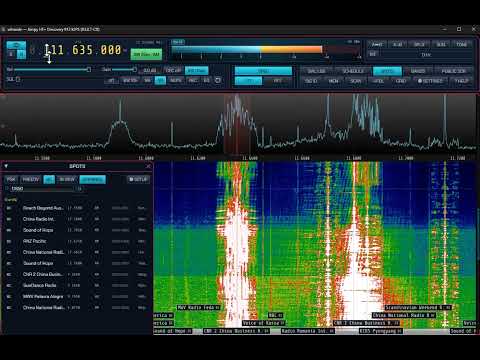
It seems there are a few bugs.
https://www.youtube.com/watch?v=UNIFqFzB-Ts
SDR Oxide - Browan :Updated to version 2.0.4 (old : 2.0.3)
XYZ -
Oct 09 (Fri), 2026 23:14 UTC No.9
SDR Oxide - Browan :Updated to version 2.0.4 (old : 2.0.3)
https://github.com/madmedicnl/sdroxide-brown/releases/tag/v2.0.4_brown
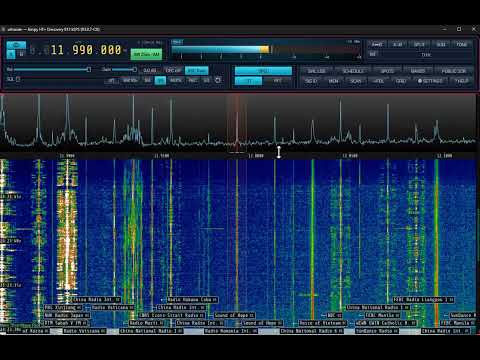
** It appears that some of the aforementioned bugs have been resolved.
https://youtu.be/f6bAqJmaZr8
-----------------------------------------------------------------------------------------------
https://github.com/madmedicnl/sdroxide-brown/releases/tag/v2.0.4_brown
What changed in v2.0.4_brown
Tool-window fixes, console fixes, and two new start-up banners.
Fixed
Tool windows (BANDS, SPOTS, SWL LOG, LOGBOOK, SATELLITE …) no longer open as a tall empty
box with their content pushed off the bottom.
The console's band and mode buttons no longer run off the edge of the window.
Added
A banner when a newer release exists — releases only (Settings → UI → Updates turns it off).
A warning when a second sdroxide is running on this machine, which may be reading the same
radio.
Changed
A tool window's OS-window button is a small icon in its title bar, not a chip in the body.
AUX SP is an independent second spectrum now (its own zoom and pan), not a mirror of SP1.
The Mode and CB-plan rows are laid out in aligned columns.
-----------------------------------------------------------------------------------------------
SDR Oxide - Browan :Updated to version 2.0.6 (old : 2.0.4)
XYZ -
Oct 10 (Sat), 2026 10:36 UTC No.10
https://github.com/madmedicnl/sdroxide-brown/releases/tag/v2.0.6_brown

** Some display elements have been changed, and bugs have been fixed.


-----------------------------------------------------------------------------------------------
What changed in v2.0.6_brown
Windows you can move, and six fixes from the field.

Added
The band and mode selector is a window of its own, in five columns — a docked column cannot
be wide enough.
Every menu tool window can be undocked, Settings included: SCHEDULE, RECORDINGS, SPOTS,
PUBLIC SDRS, the voice keyer and the per-mode setup panels.
Ctrl+W opens Settings on the UI page, where the saved window arrangements are listed.
Two tuning steps: 6.25 kHz (dPMR, NXDN) and 12.5 kHz (narrow FM, PMR446, DMR). A step now
prints as many decimals as it has, so 6.25 kHz is not read as "6.2".

Fixed
With CTR on, stepping the dial with the arrow keys made the waterfall jump, flicker and
shake until the keys were let go.
Zooming out past the end of the window shook the panadapter for as long as the wheel kept
pushing.
A Pluto with both USB and Ethernet plugged in was listed twice, as two radios.
A CB station whose callsign is a shape only the wide grammar accepts (13ABC123) decoded
and then showed no country and no flag.
On 11 m, a station worked before no longer says it was worked "but not on this band" —
a CB callsign exists only on the citizens' band, so there is no other band it could have
been on.
RECORDINGS' EDIT button did nothing; it now loads the chosen job into the form.

Changed
WINDOW and DOCK are a drawn icon — a window's frame with an arrow crossing it — instead
of words, and instead of font arrows that this program's own faces do not carry and that
drew as empty squares. The wording is on hover.
On a Pluto+ or 2R2T, the receiver choice reads RX1 only / RX2 only and says how to listen
on both. It picks the one chain the board runs; it does not turn a board into two receivers.
-----------------------------------------------------------------------------------------------
SDR Oxide - Brown :Updated to version 2.0.7.1
XYZ -
Oct 10 (Sat), 2026 23:55 UTC No.11
https://github.com/madmedicnl/sdroxide-brown/releases/tag/v2.0.7.1_brown
GITHUB : https://github.com/madmedicnl/sdroxide-brown/releases/tag/v2.0.7.1_brown
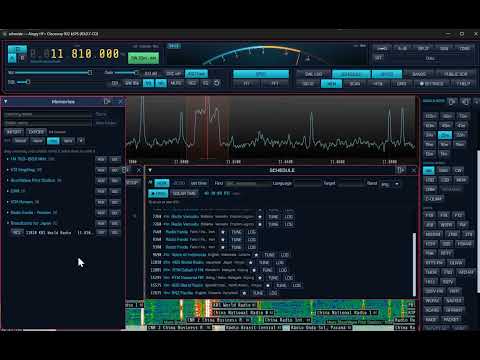
YouTube : https://youtu.be/hGpqYqdOAKQ
-----------------------------------------------------------------------------------------------
What changed in v2.0.7_brown
Added
Antenna rotator — a ROTATOR window with a compass: drag or click to
point, type a bearing, pick a DX country, and STOP / PARK / AUTO. The beam
also follows a right-click on the map or a decode row's BEAM chip. A
manual point takes over from the satellite lock until you hand it back.
Serial rotators — EasyComm II and Yaesu GS-232 on a serial port, no
Hamlib daemon needed (Settings ▸ Servers).
Receive EQ: LOUDNESS — a bass/treble lift that grows as the volume drops.
The receive tone and LOUDNESS are now remembered per mode, like BIN.
Fixed
SSTV on 60 m now reads lower sideband, like every band below 10 MHz.
Weak SSTV with CTR — the front-end LO is kept half its offset from the
dial, so a zero-IF image no longer lands in the passband.
The "do not ask me again" answers stick — the bindings offer, the
receive-only banner, the dismissed advisories and the CB transmit warning are
kept on the server, so they stop coming back every session.
Not proven
The serial rotator transports, and the rotator and LOUDNESS on the air.
The server-kept answers: tested over a WebSocket, not yet in a real browser.
Everything else — how each works, the settings, the limits — is in the
manual: press F1 in the program, or read docs/USER_MANUAL.md.
What changed in v2.0.7.1_brown
Fixed
Windows builds — the vendored faad2 patch now matches its anchor whatever
the checkout's line endings, so the Windows downloads are back in this release
(2.0.7 shipped Linux, macOS and web only).
-----------------------------------------------------------------------------------------------
SDR Oxide - Brown :Updated to version 2.0.9.1
XYZ -
Oct 11 (Sun), 2026 23:18 UTC No.12
https://github.com/madmedicnl/sdroxide-brown/releases/tag/v2.0.9.1_brown
https://youtu.be/0ID1-xcFmNY
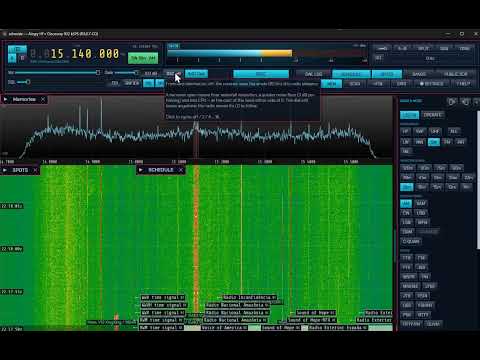
What changed in v2.0.8_brown
-----------------------------------------------------------------------------------------------
Added
FLATTEN — level the waterfall's noise floor across the band — a chip in
the FFT popup, under Waterfall. A quiet stretch of band is raised towards
its neighbours' floor, so a weak signal shows on a busy band. It only ever
raises — a carrier is never pushed down — and never by more than 20 dB,
so spectrum below the receiver's own noise is not pumped up to look like
signal. The spectrum trace is untouched. On by default.
Play a recording back into the decoders — REC → ▶ RECORDINGS… lists
the recordings folder; ▶ PLAY puts a file through SSTV, CW, RTTY, PSK, FT8 and
every other audio decoder, with the waterfall, on the dial and in the mode its
name records. Pause, again, loop, seek; STOP puts the radio back. MP3, WAV,
OGG, FLAC. Works from the browser (discussion #10).
Ctrl+C copies the tooltip on screen — every tooltip, so its text can be
pasted into a translator.
CLEAR in the PLAYBACK window — deletes a recording, after a second press
on the same row.
Changed
DAB / DAB+: 2.5 Msps is the reference — confirmed decoding cleanly on a
Pluto. The 3.07 Msps warning in the radio tab is gone, and so is the Pluto's
"not yet verified" note.
"Choose 2.500 Msps" beside the sample rate — in yellow, on the Pluto,
RTL-SDR, rtl_tcp, SDRplay, Airspy, HackRF, HydraSDR, LimeSDR, Fobos and RX-888
tabs.
RTL-SDR, SDRplay and HackRF gain a 2.5 Msps entry; the RX-888 an 80 MHz clock.
Fixed
RTTY, NAVTEX and DSC: the panadapter centred 2210 Hz off the station — on
an SDR the dial is the signal, but the window followed the tone pair, so at
a 1 kHz span the station was off screen entirely. A sound-card rig keeps the
old behaviour, which is correct there.
Pluto: the S-meter followed the radio's own gain — the AD9361's applied
gain is now reported to the engine, so the meter reads the antenna again.
RDS: a medium WFM station showed NO SYNC and decoded nothing — a block
lock one step out of step was never released, because no block ever failed.
It is now abandoned after ten consecutive corrected blocks with no clean one.
Playback sound chopped, half of it missing — the file went out in
third-of-a-second lumps, and a browser's audio lane dropped most of each one.
It now goes out ten milliseconds at a time, like a sound card.
Stereo recordings played back in mono — a WFM stereo recording now plays
in both ears, and ST lights.
ST said "no pilot" when noise reduction or the notch had switched stereo
off — its hover now names the reason.
-----------------------------------------------------------------------------------------------
Please check their release page for further details on thechanges :
https://github.com/madmedicnl/sdroxide-brown/releases
Re: SDR Oxide - Browan version : 2.0.10
XYZ -
Oct 14 (Wed), 2026 00:39 UTC No.13
SDR Oxide - Browan version : 2.0.10 (new)
https://github.com/madmedicnl/sdroxide-brown/releases/tag/v2.0.10_brown
** also uploaded the original version :
https://github.com/dividebysandwich/sdroxide/releases/tag/v1.6.10
Some truly great improvements have been added !
Thank you to Mad Medic !!
The in-depth revisions to the frequency list for SWL are excellent.
I look forward to further improvements as more updates are made.
** I am currently checking out the new features.
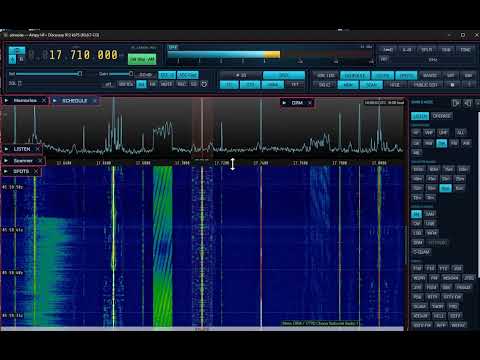
https://youtu.be/Abop9-JLCrQ
-----------------------------------------------------------------------------------------------
What changed in v2.0.10_brown
Added —
the schedule store, and a LISTEN window for it
Three schedule sources in one store — EiBi, Aoki and HFCC, all
fetched automatically, each tagged with where it came from and each reporting
its own failure so one being unavailable never costs the others.
A Source filter in the SCHEDULE window, defaulting to all of them — the
repetition is accepted here, and the panadapter is where it collapses.
The LISTEN window — what is on this span, where it is coming from, and the
share of the path in night. Clicking a station tunes it.
Your own station list can be imported — CSV, plain text or JSON, with the
unit decided by the number.
A Download button per source, and every source listed whether or not it has
been fetched, so "did Aoki download?" has an answer.
The waterfall names only the station you are tuned to, and shows one name
where two sources list the same broadcaster.
The grey line on a path — every dot lit or dim by its own twilight, so you
can see which half of a path is dark.
Fixed
A schedule source that quietly holds nothing — a zip read as text, a
season's filename guessed rather than asked for, and a column off by one all
loaded cleanly and returned the wrong answer. All three are pinned by tests
that fail against the old code.
Not proven
The grey line has been seen on one path only, one entirely in night. A
partly daylit path is the case it exists for and the one to check.
Fixed
The spectrum on a phone — a phone held upright drew the waterfall alone,
with the whole WFALL tab to spare. It now shows the spectrum above the
waterfall in every mode, set from the SPEC popup like everywhere else.
DAB remembers what it found — channels, stations, stars and the chosen
station are kept on the server and survive a restart.
DAB "playing" and the level — the engine never said which station was
playing; the panel now shows it.
DAB VU meter no longer pinned at the top — it reads the station as heard:
it follows the volume, and 0 VU is set for loud DAB+ stations (−12 dBFS).
SSTV decodes weak pictures — a faint picture a phone could copy stayed on
"no SSTV header yet". The header and sync pulses are now found by tone energy
instead of one noisy frequency reading: header read down to about −3 dB SNR
(was +10 dB), lock without a header the same, no false starts on noise.
Added
DAB receiver panel — station card, numbered station list with ★ presets
first, PREV / ★ / NEXT / PTY / SCAN bar, stereo VU meter (horizontal on a
phone), and the station's own slideshow picture on the right.
DAB station text and programme type — the DLS line and the PTY, from the
signal.
DAB scan — progress bar; keeps only channels that carry stations and
remembers those stations as it goes. × clears one channel or one station.
The DAB VU meter is the volume — drag or click along it (sideways on a
phone), the wheel, or the arrow keys once clicked. It still works on a screen
locked with the padlock, so the sound can come down without unlocking. It
moves quicker; the peak keeps its hold.
"Channel received 8D 201.072" in the DAB channel picker.
S-Meter calib — Settings → Radio, under "Antenna is": −5 to +5 S-units
per radio, 0 by default. Moves only the reading (needle, S and dBm, a
report's level, the spoken meter); squelch and recording are untouched.
Changed
Auto mode on a PlutoSDR can run longer — Settings → Radio → Auto mode is a
list on a Pluto: 20 / 30 / 45 / 60 / 120 / 240 / 360 min, or DISABLE for
no inactivity stop. Other radios keep the 45-minute cap.
Not proven
The DAB slideshow, DLS, PTY and level are unit-tested, not yet seen on the
air. Station logos (SPI) come in a later release; until then the card shows
the station's initials.
The weak-SSTV fix is measured on synthetic noise, not yet on an off-air
recording.
-----------------------------------------------------------------------------------------------
SDR Oxide - Browan version : 2.0.11
XYZ -
Oct 14 (Wed), 2026 23:07 UTC No.14
https://github.com/madmedicnl/sdroxide-brown/releases/tag/v2.0.11_brown

This excellent SDR software continues to evolve !

Areas requiring correction regarding the display :
*The frequency list for DRM broadcasts is not displayed.
*Display issues with text (garbled text). (For example, DRM broadcasting in North Korea.)
 (An issue with character encoding ?)

-----------------------------------------------------------------------------------------------
What changed in v2.0.11_brown

Satellite passes and the transponder bands, a schedule you can search by
frequency, and the received audio out over UDP.


Added
A PASSES tab in the satellite window — every upcoming pass, soonest first, over the next day or two, with an elevation filter for the ones worth waking up for.
Satellite transponder bands on the frequency scale — with a lock running, the downlink segments are labelled and follow Doppler, so a linear transponder reads as "CW here, SSB here" rather than an unexplained slab.
The satellite picker lists only the birds you can work — an all satellites switch, off by default.
Search the schedule by frequency — 6185, 6185 kHz or 6.185 in Find, beside the name search.
The received audio can go out over UDP — host:port on Settings → Radio, mono 16-bit, one datagram per block, for an external decoder, a recorder or a second machine.

Changed
SSTV reception is better on weak pictures — a rewritten demodulator: mean error 87.2 → 75.6 at 0 dB and 42.4 → 33.7 at 10 dB. Slightly worse above 30 dB (4.3 → 5.5), where both are excellent.
SSTV slant correction — a skewed picture is straightened rather than smeared.
FT8 streams its decodes and drops the slow pass when a slot is waiting, so a slow machine loses detail rather than slot timing.
The S-meter calibration reaches ±90 dB, from ±30, so a front end that does not report its gain can be corrected properly.
CW: a held PTT keeps the transmitter keyed and silent for the keyer, and a MIDI key note no longer drops it.
RTTY: a view on the tone pair no longer walks the dial, and a front end that has not heard its dial yet cannot have 0 Hz adopted.

Fixed
A schedule source that quietly held nothing — a zip read as text, a season filename guessed, and a column off by one all loaded cleanly and returned the wrong answer.
-----------------------------------------------------------------------------------------------
SDR Oxide - Browan version : 2.0.12
XYZ -
Oct 15 (Thu), 2026 01:46 UTC No.15
https://github.com/madmedicnl/sdroxide-brown/releases/tag/v2.0.12_brown
A few minor corrections.
The list of frequencies that can be selected individually is very convenient !!
https://youtu.be/fzCTEWvXV8Q
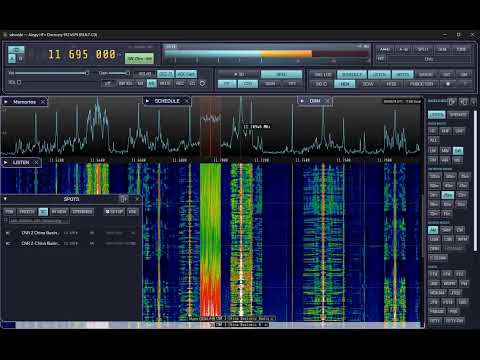
The frequency list supports EiBi, AOKI, and HFCC, and each can be displayed individually.

SDR Oxide - Browan version : 2.0.13
XYZ -
Oct 16 (Fri), 2026 01:37 UTC No.16
https://github.com/madmedicnl/sdroxide-brown/releases/tag/v2.0.13_brown

-----------------------------------------------------------------------------------------------
What changed in v2.0.13_brown

Added
SYNOP and SHIP weather reports — coded weather off HF RTTY, decoded into wind, pressure, cloud and sea state.
The received audio streamed over UDP to another program, from the recording tap so volume and MUTE do not touch it.
Bluetooth and other sound-server devices in Settings → Audio, offered by name.
A Settings → Audio page — your speakers and microphone, this radio's sound card, recordings.
Device pickers you can type into, for a device the host does not enumerate.
PSTRotator over its own UDP port, beside rotctld and the serial transports.
The version in the window title, so a screenshot says which build it came from.
DAB's logo tile shows the station's slideshow picture, in small, while the slideshow shows it large.

Fixed
A tool window's ⇱ button no longer shows through the window you put on top of it.
False band-open alerts when returning to a band, or when DX-cluster spots mix with PSK Reporter.
The audio stream sent nothing until you pressed REC, and its setting could not be reached on any SDR.
The last rows of the Radio page were under the Apply button, and an orphaned row shifted the whole page.
The ATS Mini's Apply / reconnect reopens the radio again — it had been wired to the sound-card rescan.
DAB's volume follows the knob, and its VU meter pumps with the music rather than the volume.
A DAB channel cleared with × stays cleared.
The link button opens the radio where it last tuned (#72).
A description on a settings page no longer paints itself over the Apply button.
The current page's name is visible in the Settings menu.
The silent-microphone warning names the page the microphone is on.
The fill under the spectrum line no longer shows as vertical stripes.

Changed
The Settings window has a menu down the left, grouped, with the page beside it; below 620 pt it still uses the tab strip.
The SPOTS window's KML result is a bar of its own rather than a line among the chips.
The S-meter calibration control is gone — it was built on a reading from the wrong build.
-----------------------------------------------------------------------------------------------
SDR Oxide - Browan version : 2.0.13.1
XYZ -
Oct 16 (Fri), 2026 12:41 UTC No.17
https://github.com/madmedicnl/sdroxide-brown/releases/tag/v2.0.13.1_brown

This version has some display bugs.
The "Download Frequencies" button under Settings is overlapping with other elements.
There are also other areas further down where elements overlap.

SDR Oxide - Browan version : 2.0.13.6 (pre-eleases version)
XYZ -
Oct 19 (Mon), 2026 06:13 UTC No.18
pre-releases version :
https://github.com/madmedicnl/sdroxide-brown/releases/tag/v2.0.13.6_brown


Although this is still a pre-release version, several bugs have been fixed:
 * Display of DRM broadcasts
 * Overlapping lines at the bottom of the settings screen (which previously made them unreadable)

These significant issues have now been resolved.


I am hopeful that, in the future, it will also be possible to enter frequencies using a numeric keypad (similar to the direct frequency entry via keyboard found in SDR Console).
** Allow the frequency to be entered in "kHz" units as well.

Addressing garbled text in station name displays. (such as in DRM broadcasts)

SDR Oxide - Browan version : 2.1.0.2 / 2.1.0.2.1
XYZ -
Oct 23 (Fri), 2026 22:29 UTC No.19
SDR Oxide Brown v2.1.0.2
https://github.com/madmedicnl/sdroxide-brown/releases/tag/v2.1.0.2_brown

I get an error stating that the "libstdc++-6.dll" file cannot be found.
Even after installing it to resolve this issue, a different error appears.

For now, I have reverted to the previous version.


add:

SDR Oxide Brown v2.1.0.2.1
https://github.com/madmedicnl/sdroxide-brown/releases/tag/v2.1.0.2.1_brown

This new version also fails to work due to errors.
Re: SSDR Oxide - Browan version : 2.1.0.2 / 2.1.0.2.1
XYZ -
Oct 24 (Sat), 2026 11:41 UTC No.20
https://github.com/madmedicnl/sdroxide-brown/releases/tag/v2.1.0.2.2_brown


It looks like the error mentioned above will be resolved :
-----------------------------------------------------------------------------
> I get an error stating that the "libstdc++-6.dll" file cannot be found.
> Even after installing it to resolve this issue, a different error appears.

> For now, I have reverted to the previous version.
-----------------------------------------------------------------------------
SDR Oxide - Browan version : 2.1.0.2.2 (new)
XYZ -
Oct 24 (Sat), 2026 12:34 UTC No.21
https://github.com/madmedicnl/sdroxide-brown/releases/tag/v2.1.0.2.2_brown
For Windows 11:
Download and extract "sdroxide-v2.1.0.2.2_brown-windows-x86_64.zip".
Overwriting the existing files with the extracted contents—including
the DLL files—resolved the issue and allowed it to function correctly.
*** The new version also installs any missing DLL files. No special action is required.
https://github.com/madmedicnl/sdroxide-brown/releases
Thank you for this excellent SDR software !!!
* It is a bit inconvenient that the center frequency cannot be locked during tuning.
* It would also be very helpful to be able to enter frequencies directly using the numeric keys on the keyboard.
* Additionally, an error log appears every time I double-click the frequency display field to enter a frequency.
* Additionally, it would be great if the text in the DRM interface were slightly larger and easier to read.
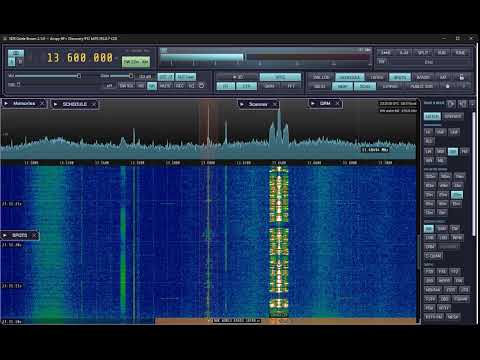
YouTube : https://youtu.be/iL-3iVdapU0

Re: SDR Oxide - Browan version
XYZ -
Oct 26 (Mon), 2026 21:48 UTC No.22
WEBSITE : https://sdrbrown.info/
GITHUB : https://github.com/madmedicnl/sdroxide-brown
Release notes : https://github.com/madmedicnl/sdroxide-brown/releases
User manual : https://github.com/madmedicnl/sdroxide-brown/blob/main/docs/USER_MANUAL.md
Thank you for this excellent SDR software !!!
REQUEST :
* It is a bit inconvenient that the center frequency cannot be locked during tuning.
* It would also be very helpful to be able to enter frequencies directly using the numeric keys on the keyboard.
--- Additionally, an error log appears every time I double-click the frequency display field to enter a frequency.
* Additionally, it would be great if the text in the DRM interface were slightly larger and easier to read.
--- Some languages appear as garbled text (e.g., Hangul characters).